
Too much work just to launch a client
Research, offers, copy, creative, approvals, and campaign setup are spread across tools and people.
Operating system for home-service agency fulfillment
SROS is home service marketing software for agencies. Go from campaign idea to created campaign in minutes, then track the leads, appointments, outcomes, and fulfillment that come after.
Run more client fulfillment without losing visibility.
Launch channels
Meta Ads
Facebook and Instagram
Launch channels
ChatGPT Ads
Advertising in ChatGPT
Works with
HighLevel
CRM and appointment workflows
Home improvement & services
SROS is home-service marketing software for agencies whose clients are HVAC, plumbing, roofing, and other home-improvement contractors. You launch a campaign for a promoted service in a market — not a separate product for each trade.
The contractors those agencies serve
If you market for local home-service contractors, this is the space SROS is built for. Product captures use a sample home-service business. The workflow is the same for other trades.
The problem
Campaign setup, ad platforms, CRM activity, appointments, fulfillment, and reporting often live in different places, with no clear connection between them.
Research, offers, copy, creative, approvals, and campaign setup are spread across tools and people.
The client asks what happened, and your team has to piece together appointments, outcomes, and reported job value.
Funding issues, fulfillment gaps, and missing outcomes often become visible only after they affect the client.
The SROS difference
SROS keeps campaigns, leads, appointments, fulfillment, and reported results connected around the same client — so your team can see what happened and what needs attention next.
SROS
Create the campaign
Track incoming leads
See bookings and outcomes
Know what was delivered
See spend and results
See SROS in action
From campaign launch to appointments, fulfillment, client visibility, and reporting, SROS keeps the work connected.
01 — Launch campaigns
Generate the ad copy and creative, then create the campaign from one guided workflow.
Created in SROS. The advertising platform may still review the ads before they serve.
02 — Leads and appointments
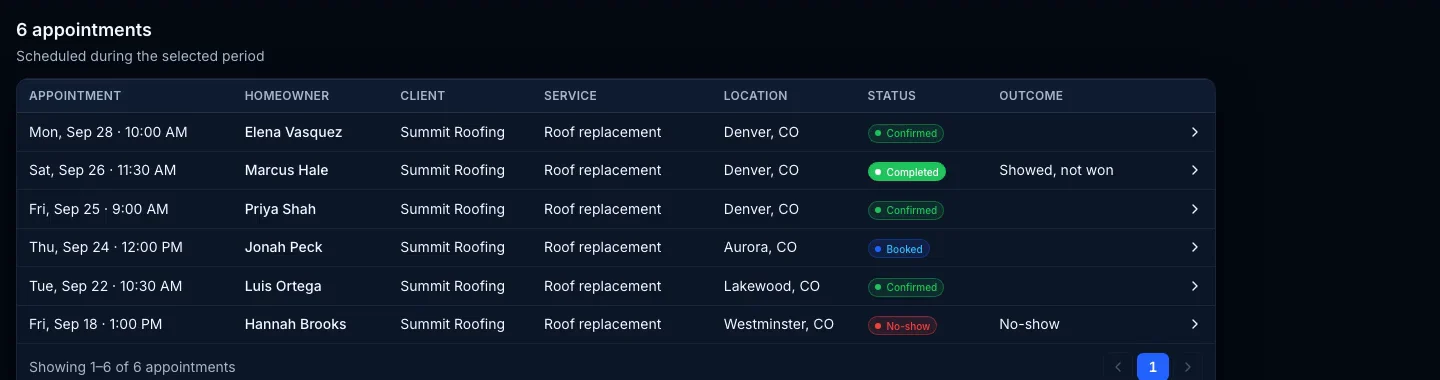
See booked appointments, record the outcome, and capture reported job value without piecing the story together later.
HighLevel remains the calendar. SROS records the appointment outcome.
03 — Fulfillment
Track appointment orders, delivered appointments, remaining fulfillment, and reviewed credit requests from the same client operation.
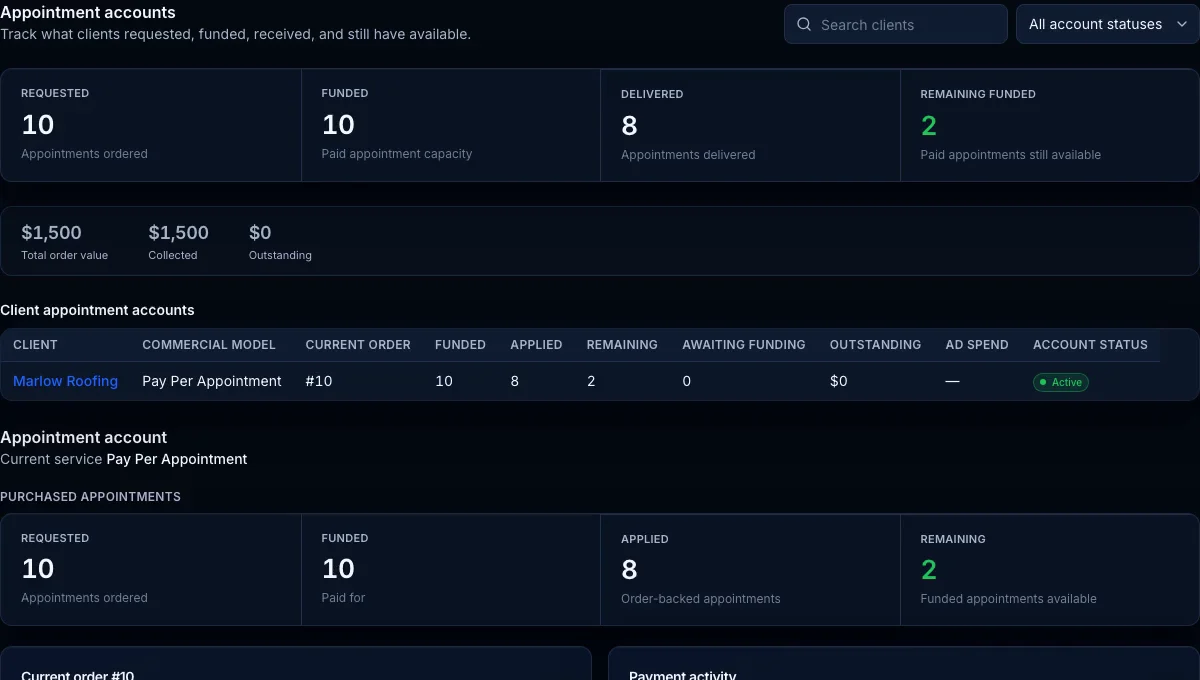
10 ordered. 8 delivered. 2 remaining.
04 — Client visibility
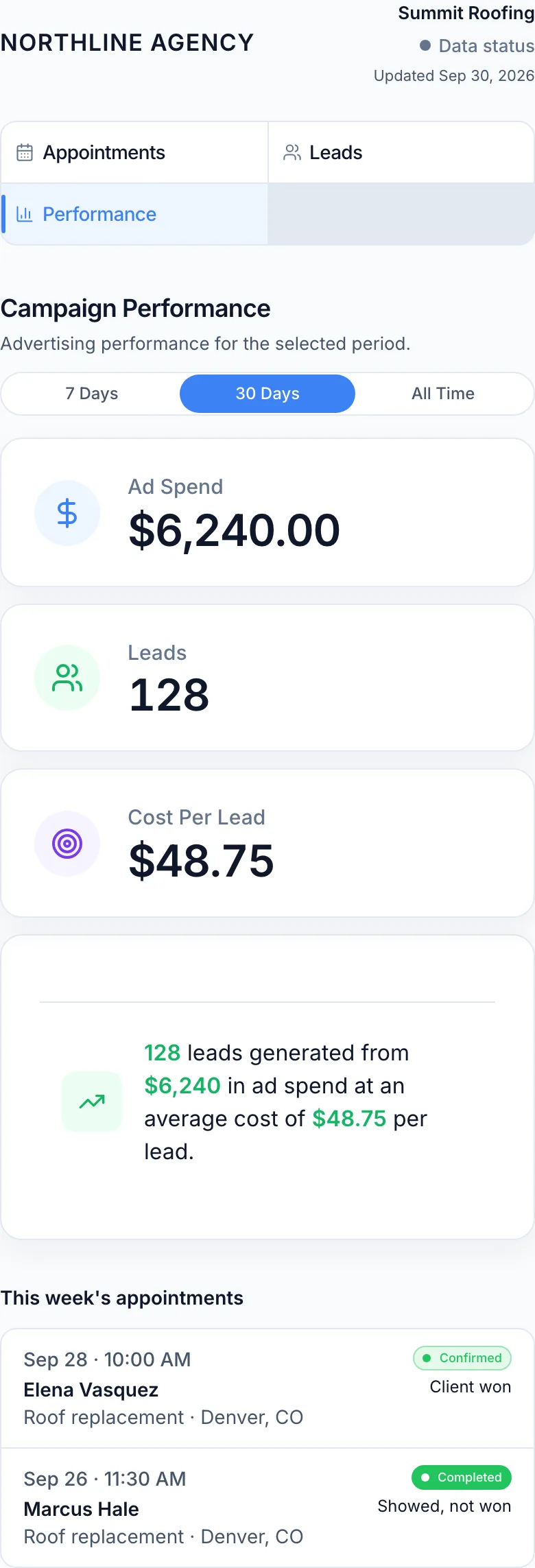
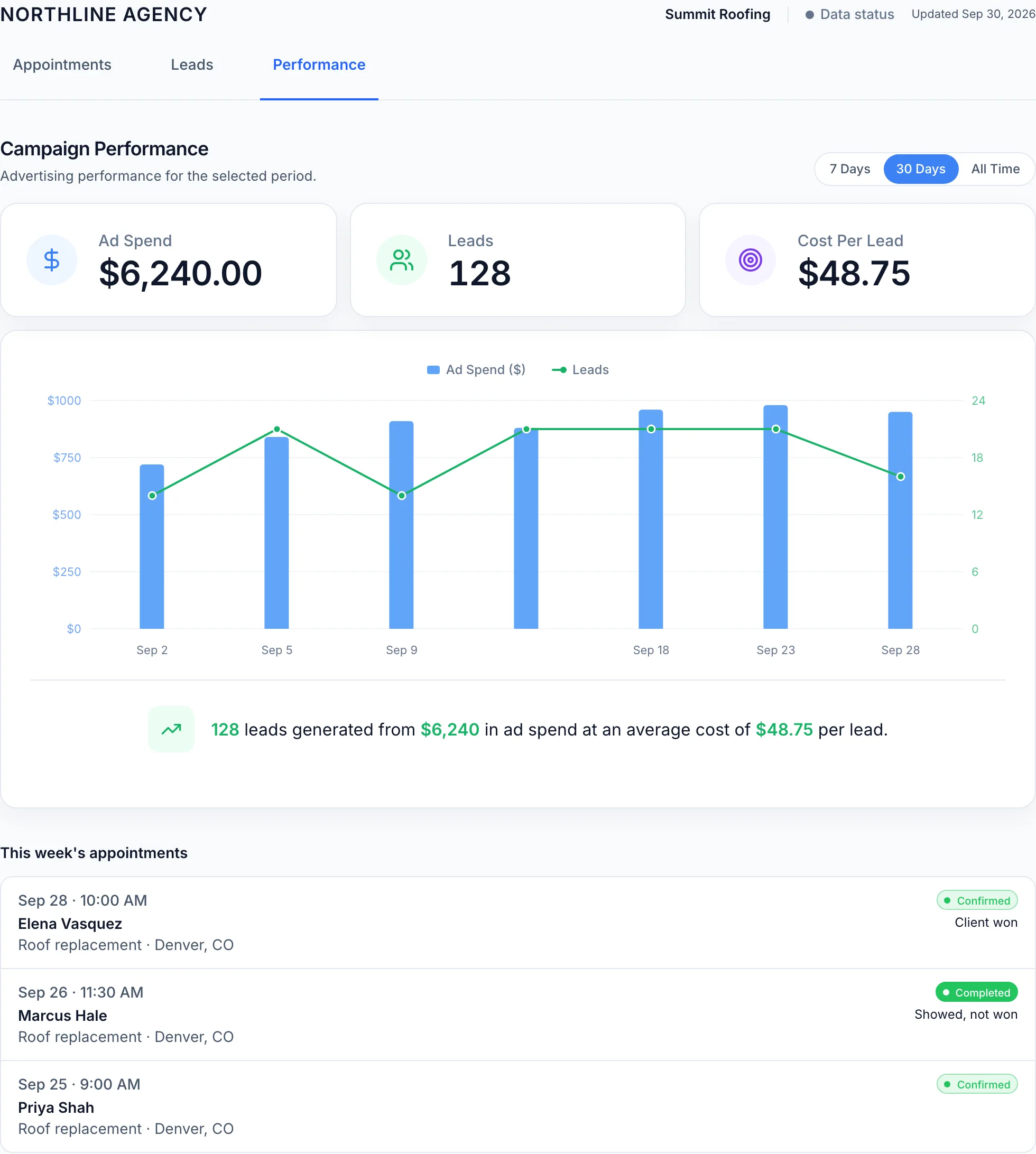
Share a private client portal where clients can check the activity, appointments, performance, and reported outcomes available for their account.
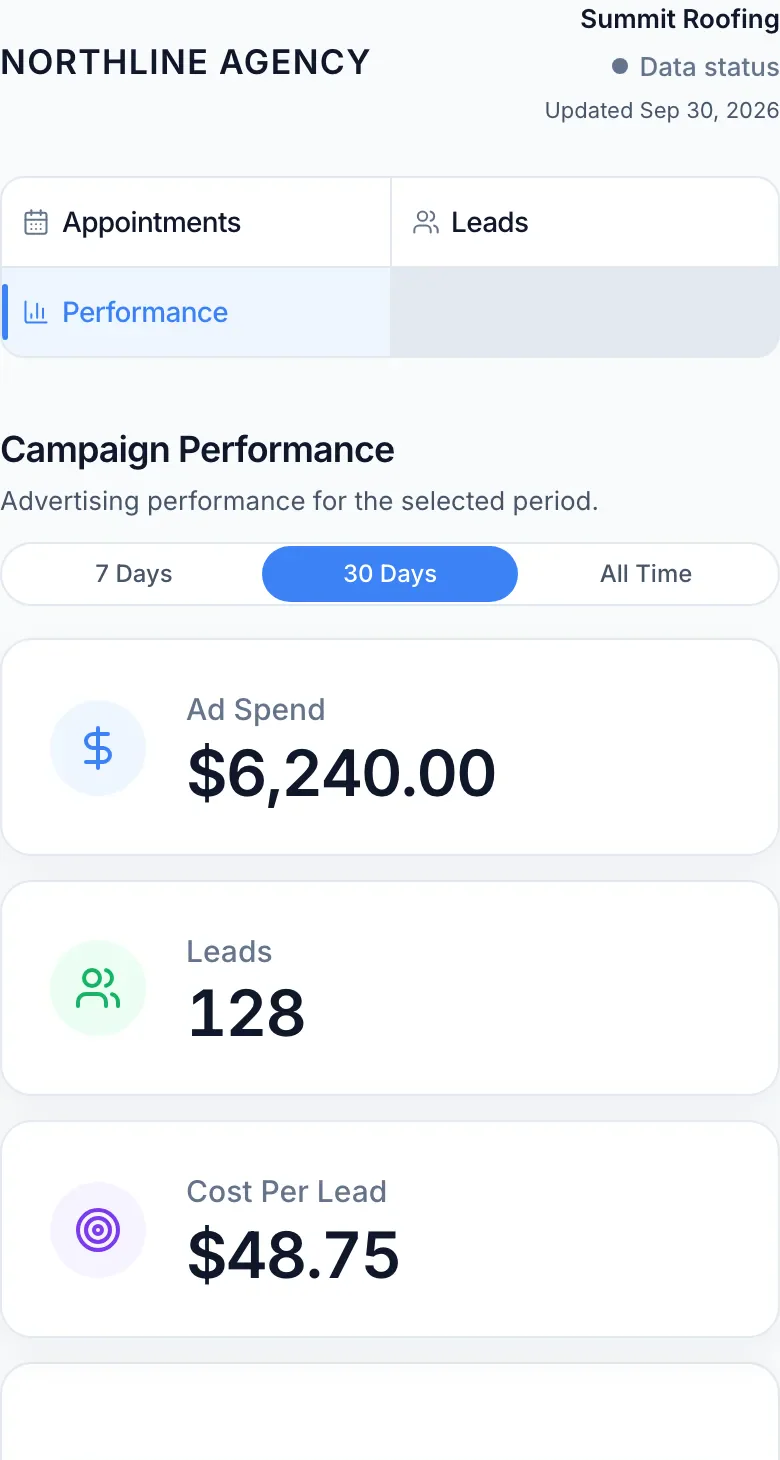
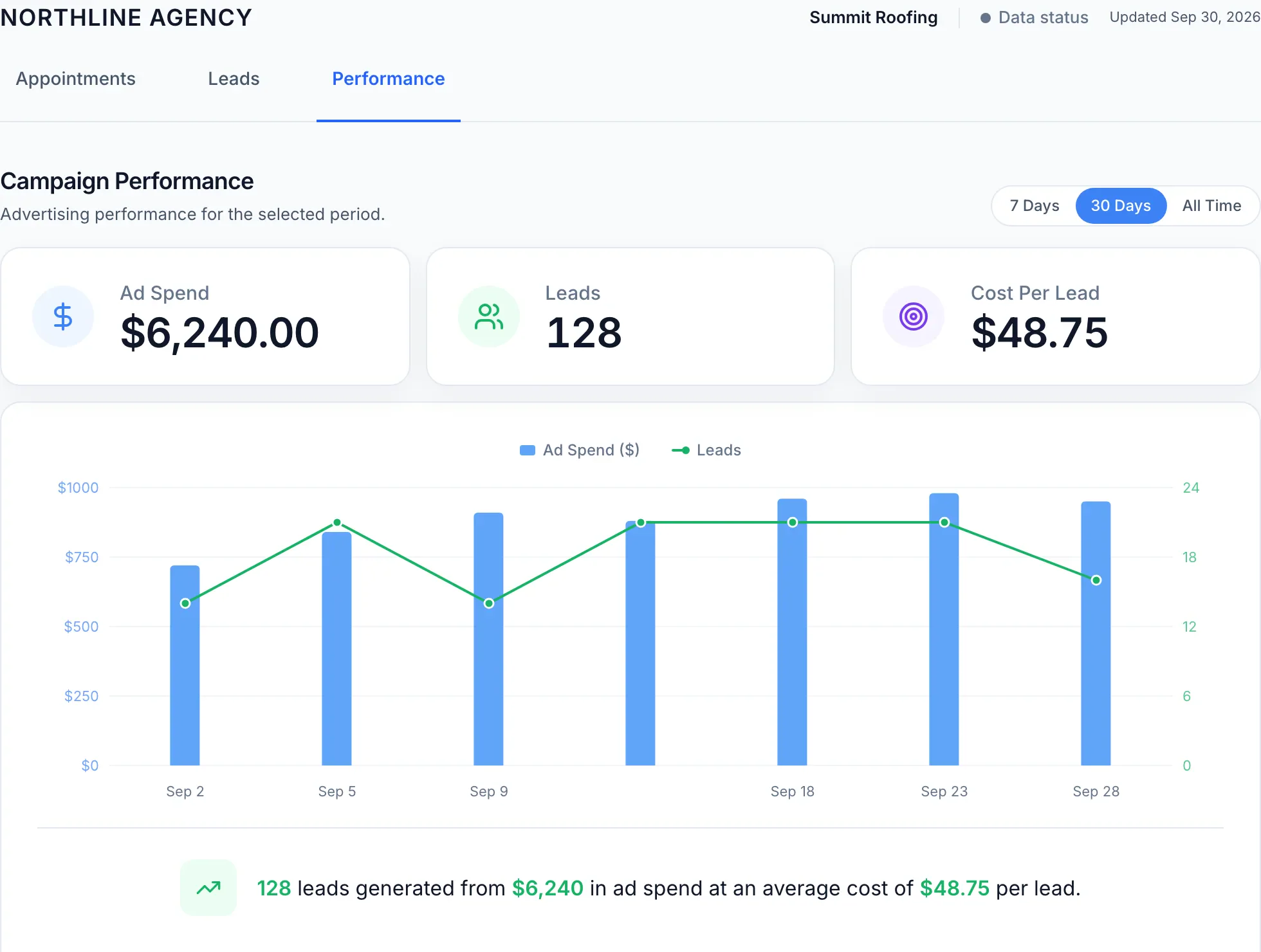
Clients see their own account — not your agency workspace.
05 — Agency oversight
Understand performance, funding issues, fulfillment status, and the client work that needs attention next.
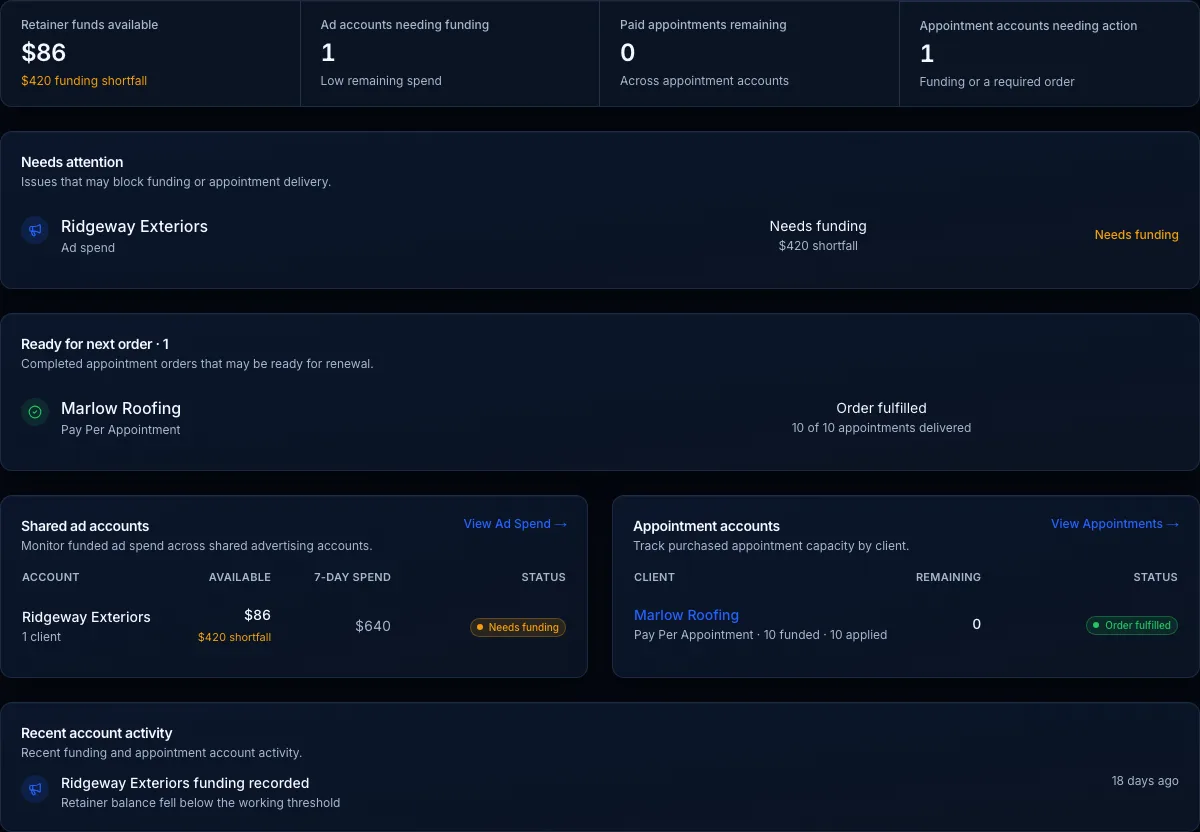
Needs attention stays on the account — funding shortfalls and fulfillment status included.
Leads and appointments
See the appointment, record the outcome, and connect reported job value back to the client instead of letting campaign performance end at the lead.
Pay-per-appointment
If you sell pay-per-appointment to home-service clients, SROS keeps the funded order, delivered appointments, remaining work, and credit requests on that client. The team sees what was paid for and what is still owed — without a fulfillment spreadsheet.
Funded order
The client pays for a set of appointments.
Delivery
Appointments are applied as they are delivered.
Remaining
See what is still owed on the order.
Credits
A credit is reviewed before fulfillment is adjusted.
Client experience
Share a private client portal where they can check the activity, appointments, performance, and reported outcomes available for their account — without waiting for your team to send an update.
Clients stay informed. Your team spends less time pulling reports and answering routine status questions.
Always-on visibility
Clients can check their account without waiting for an update.
Fewer routine questions
Give clients direct access to information your team would otherwise have to pull manually.
More transparency
Show the work being delivered and the outcomes being reported in SROS.
Why SROS
SROS tracks the operational work between campaign launch and client fulfillment — the parts generic CRM and ad tools usually leave disconnected.
Generic tools: Ads • CRM • Calendar
SROS adds: Readiness • Outcomes • Fulfillment • Funding
See missing offers, assets, approvals, forms, and setup before a campaign goes live.
Offers • Assets • Forms • Approvals
Track what happened after every booking — showed, sold, cancelled, or no-show.
Booked • Showed • Sold • No-show
Track what was delivered, what was accepted, and what still needs fulfillment.
Delivered • Accepted • Remaining
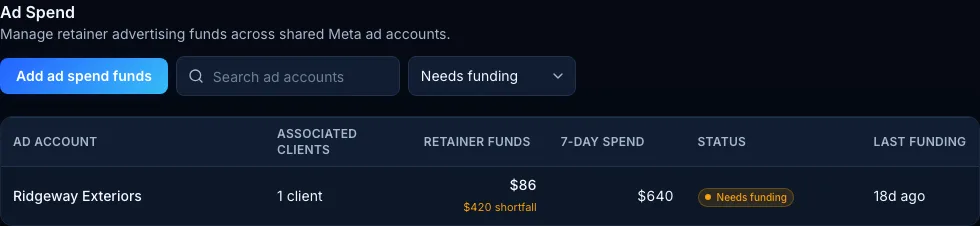
Spot low-balance or unfunded ad accounts before campaign delivery is interrupted.
Spend • Balance • Funding alerts
Also on the client
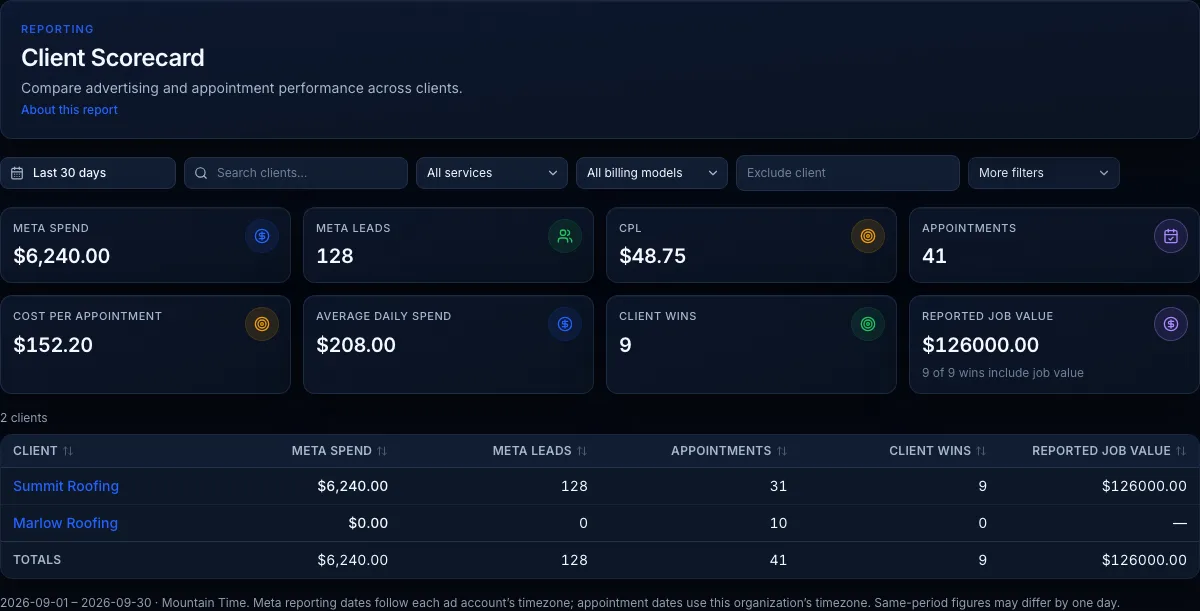
Every launch, campaign, lead, appointment, and outcome stays connected to the same client record.
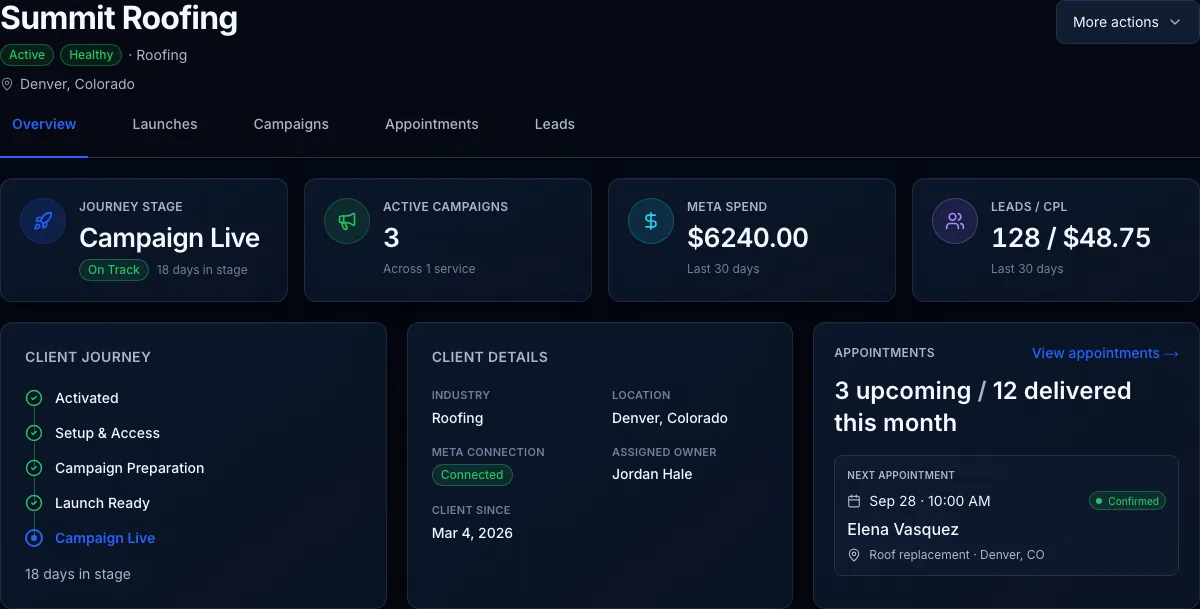
See the client's launches, campaigns, ad performance, leads, appointments, and fulfillment without jumping between disconnected records.
Scorecard
Ad spend
Keep campaigns on a shared Meta account instead of opening a new one for each client. SROS tracks retainer funds, spend, and shortfalls so the logistics stay easy.
Your stack
SROS launches campaigns across Meta Ads and ChatGPT Ads, then connects the leads, appointments, fulfillment, and reporting that follow.
HighLevel stays your CRM and calendar. SROS becomes the operating layer around it.
See how SROS works with HighLevelLaunch channels
Meta Ads
Facebook and Instagram
ChatGPT Ads
Advertising campaigns in ChatGPT
Operating layer

SROS
Works with
HighLevel
CRM
Calendar
For agencies
SROS is built for agencies that need repeatable campaign launches and visibility after the lead comes in. See which clients are moving, what has been delivered, and where the operation needs attention next.
FAQ
SROS is the operating system for home-service agency fulfillment. Agencies use it to create campaigns from one guided workflow, see what happened after the lead, and report what was delivered.
Home-service marketing agencies first — agencies that serve HVAC, plumbing, roofing, and other home-improvement contractors. A contractor can also run a narrower workflow for one business. This page describes the agency workflow.
Yes. SROS is the tool for agencies serving contractors in home improvement and home services — HVAC, plumbing, roofing, and other local trades. You launch a campaign for a promoted service in a market. Contractors can run a single-business workspace in the same space. HighLevel stays the CRM.
No. HighLevel remains the CRM and calendar. SROS works with it for appointment intake and keeps the launch, outcome, and fulfillment on the client.
Yes, after setup and readiness. SROS creates the campaign on the channel you choose. The advertising platform may still review the ads before they serve.
Meta lead-form leads show on the client. Your team can track the appointment, record showed, no-show, other, or Client won, and add reported job value when the job is won.
SROS does not sell the package for you. If you sell a funded appointment order, SROS tracks requested, funded, delivered, and remaining appointments. A credit request is reviewed by your team before fulfillment is adjusted.
SROS tracks the funded order, how many appointments were delivered, and how many remain. A credit request is reviewed by your team before fulfillment is adjusted.
Get started
SROS guides market research, offers, ad copy, creatives, Meta forms, GHL setup, and campaign upload in one workflow.
Get startedFor agencies
Launch home-service campaigns for clients without rebuilding strategy, copy, creatives, forms, and Meta setup every time.
Get startedFor contractors
Build offers, ads, and Meta campaigns for your own business without learning Ads Manager, lead forms, or CRM setup from scratch.
Get startedSign up and manage billing securely inside the SROS app. View all pricing